Bookings
Patient Bookings
To manage patient bookings, go to Quick Links on the Home screen and select Appointments (you can also access appointment details directly by expanding booking alerts in your Notifications tab).
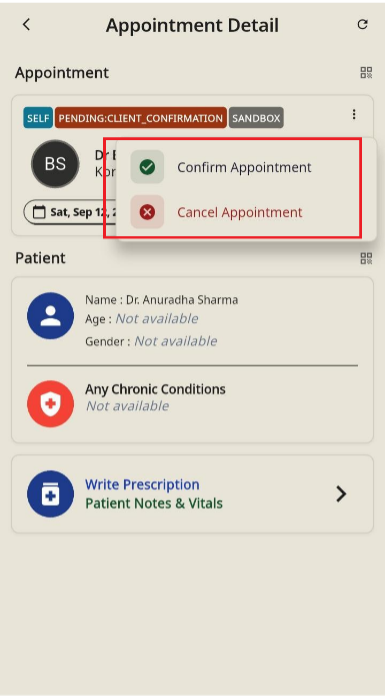
Confirming an Appointment
- Tap the three-dot menu (⋮) in the top-right
- Select Confirm Appointment and tap Yes. The status will update to UPCOMING.
Cancelling an Appointment
- Locate the booking either from the Appointments list (use the date range picker if needed) or inside Appointment Detail.
- Tap the three-dot menu (⋮) on the appointment card or detail screen.
- Select Cancel Appointment and tap Yes to confirm